 Linking spaces
|
Tool |
Tool set |
|
Space Link
|
Space Planning |

To link spaces:
Create spaces as described in Criando espaços com a Ferramenta Espaço.
Click the tool.
Click the first space to link, and then the second space. The space link is automatically created.
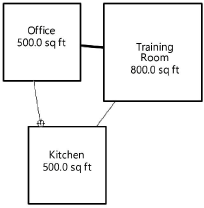
The space links update dynamically as the spaces are moved around in the drawing.
To change the strength of a link, select it and change the Strength value (from 1 to 18) from the Object Info palette.
